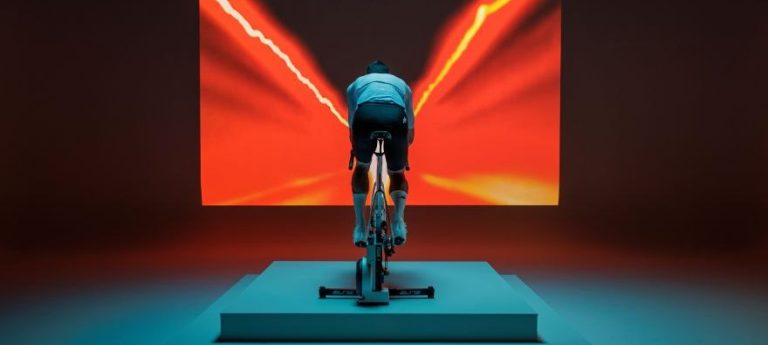
Square. Free to choose

Square. Free to choose
The new firmware brings Square to every trainer and lets you control Zwift from the handlebar controllers.
Square rewrote the rules of indoor cycling with advanced virtual shifting that turns Elite’s smart frame into the bike you have in mind: your own, or one built from scratch.
With Square you can recreate any drivetrain on any app, with Shimano, SRAM and Campagnolo groupsets and the ratios you prefer, down to the last tooth on the cassette.
To get you started straight away, Square comes preset with a Shimano 12-speed Mixed profile. From there you can tweak it however you like, add four more profiles based on your own drivetrain, or switch to the convenient native sequential shifting.
Under your fingers, levers and buttons that respond just like your bike’s. Under your legs, a belt drive that runs smooth and silent.
A chain-free workout, literally.
Now the new firmware completes the picture.

One smart frame for every smart trainer
Square now works with all the most popular trainers on the market, whatever the brand, and becomes their command center.
With the latest models featuring Zwift Protocol and compatible with Zwift Cog and Click, Square integrates with every Zwift feature.
If your trainer has a few seasons under its belt and only speaks FTMS, Square takes over virtual shifting and controls the trainer through Elite’s protocol: you pick groupset and ratios in the Square app, then select the smart frame as both power source and controls on Zwift before you ride.
Find the list of compatible trainers here

Zwift at your fingertips with the handlebar controllers
On trainers with Zwift Protocol and compatible with Zwift Cog and Click, Square’s controller buttons become fully fledged Zwift controls, on the same principle as Zwift Play and Zwift Ride.
You shift gears, navigate menus and interact with Zwift without taking your hands off the bar, for an immediate experience where every command lands instantly.
Every gear on screen
With the trainer selected as power, resistance and cadence source, Zwift handles the virtual shifting and shows your gears on screen in real time, alongside watts, cadence and speed. Handy when the road kicks up or the group picks up the pace.
On top of the default sequential shifting, Zwift offers Shimano and SRAM-style setups, with three gearing options.
Two setups, your call
For the full Zwift experience, pair the trainer on Zwift as power, resistance and cadence source, and Square as controls: your gears appear on screen and the handlebar buttons work as Zwift controls.
If you want Square to replicate your drivetrain tooth for tooth, pair your trainer under Power, Resistance and Cadence and leave Controls empty. Shifting is then handled by Square, using the groupsets and gear ratios set in the Square app, and your current gear won’t show on Zwift. With this setup, you give up Zwift virtual shifting and the use of the buttons on Zwift.
With Square, you’re free to choose.
And to bend every rule.
Check out all available configurations in the Knowledge Base.

How to pair Square after the update
The right setup depends on the trainer your Square frame is mounted on and the software you train with.
In short
With Zwift and a trainer featuring Zwift Protocol, which covers most of the latest trainers, pair the trainer in the app as Power Source, Resistance and Cadence, and Square as Controls.
With other software, the choice depends on your trainer: with a recent Elite trainer, select the trainer, and Square for the steering function where available. If your trainer is from another brand, select Square instead.
With a trainer without Zwift Protocol, on any software, the device to select is always Square.

With Elite trainers featuring Zwift Protocol
Models: Direto, Direto X, Direto XR, Direto XR-T, Direto XR Zwift Cog and Click, Direto XR Team, Avanti, Avanti Zwift Cog and Click, Justo, Justo 2, Justo 2 Zwift Cog and Click, Rivo, Rivo Zwift Cog and Click, Suito, Suito-T. Here’s the full list of compatible trainers.
On Zwift: the recommended setup
When pairing, the trainer becomes the Power, Resistance and Cadence Source and Square the Controls. In this mode Square acts as a Zwift Click-style controller: shifts start from the handlebar buttons, while virtual shifting is handled by the software.
On Zwift, this means:
your selected gear visible on screen;
a choice of shifting mode, between sequential, Shimano and SRAM;
handlebar buttons that interact directly with Zwift during your ride.
Other software, or alternative setup on Zwift
With Square selected as Power Source, the Square app takes the lead, letting you build a custom virtual drivetrain with the groupsets, cassettes and ratios of your choice.
Once the setup is saved, Square runs it on its own during your workout and the app doesn’t need to stay open. If you keep it open, it shows your current gear in real time.
On Zwift, your gear doesn’t appear on screen and the buttons don’t work as Zwift-style controls.

Zwift Protocol trainers from other brands
On Zwift
Pair the trainer as Power Source, Resistance and Cadence, and Square as Controls. Square becomes the control interface for Zwift’s virtual shifting, and you set your ratios directly in the software, not in the Square app.
On other software
The device to select is Square. These platforms don’t handle Zwift Click-style commands the same way, so Square manages the virtual drivetrain directly.
Trainers without Zwift Protocol
You’ll always find the list of compatible trainers here.
With any software, Zwift included
The device to select is always Square, as both Power Source and Controls. Square manages the virtual drivetrain and controls the trainer directly, with groupsets and ratios configured in the Square app.
On Zwift, your gear doesn’t appear on screen, because shifting is handled by Square and doesn’t go through Zwift Protocol.
The update takes just a few minutes
The update runs through Upgrado, Elite’s free app for smartphones and tablets that keeps every product in our indoor ecosystem up to date.
With Bluetooth on, Upgrado detects Square automatically and lets you know when new firmware is available: just select the device name from the list and confirm. The latest version is 23.
If you also have an Elite trainer to update, we recommend updating one device at a time, starting with the trainer and keeping only the device being updated switched on. During the process, close Zwift and any other apps using Bluetooth, and keep your phone close to Square. Avanti, Justo 2 and Rivo trainers update over Wi-Fi instead.
A step not to skip: pair Square with your trainer again
Once the update is complete, pair Square with your trainer again, so both devices can communicate properly with your training software.
Open the Square app and go to Settings.
Tap Pair next to the Square icon.
Once Square is paired, tap Pair next to the trainer icon.
Now all that's left is to set up Square in your training software, following the steps in this guide, and you're ready to ride.